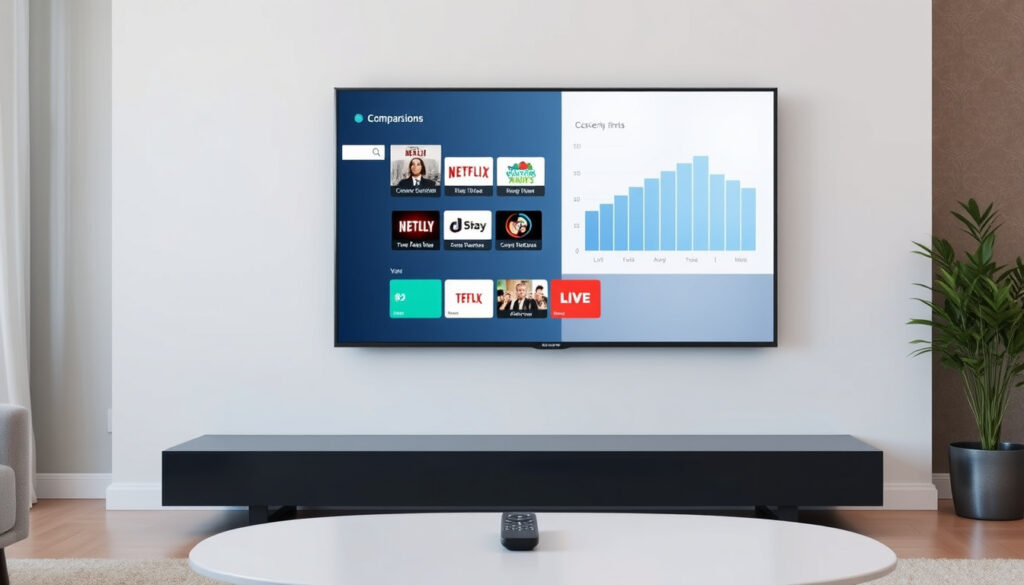
What Is a Smart TV? A Clear Guide and Key Comparisons
A smart TV is simply a television that connects to the internet and runs apps without needing extra gadgets. This guide walks through what a smart TV can and can’t do, from free channels to privacy trade-offs, so you know exactly what you’re getting.
Smart TV market share (2024): Over 80% of new TVs sold are smart TVs (Statista market data) ·
Average apps available: 100–200 per platform (varies by OS) ·
Internet requirement for streaming: Yes, for Netflix, Hulu, etc. ·
Offline function: Yes, like a normal TV via antenna/cable
Quick snapshot
- An internet-connected TV that runs apps (HBH Woolacotts guide)
- No extra box needed for streaming (HBH Woolacotts guide)
- Built-in Wi‑Fi and Ethernet support (HBH Woolacotts guide)
- App store and voice control often included (HBH Woolacotts guide)
- Internet for streaming apps (Ring Planet Communications report)
- Subscription for paid services like Netflix (Ring Planet Communications report)
- Antenna for free broadcast channels (Ring Planet Communications report)
- Tizen (Samsung), webOS (LG)
- Android TV (Sony, TCL, etc.), Roku TV
| Fact | Detail |
|---|---|
| What is a smart TV? | A television with integrated internet and app capabilities (HBH Woolacotts guide) |
| How does it work? | Runs an operating system connecting to the internet via Wi‑Fi or Ethernet |
| Requires internet for apps? | Yes, streaming apps need an active connection (Ring Planet Communications report) |
| Can watch normal TV? | Yes, via antenna, cable, or satellite inputs (NewsLedger UK report) |
| Free channels available? | Yes, over-the-air broadcast and free streaming channels |
What is the difference between a normal TV and a smart TV?
Internet connectivity and built-in apps
A normal TV is a display that shows whatever you feed it through HDMI, antenna, or cable — it doesn’t connect to the internet on its own. A smart TV, by contrast, includes built-in Wi‑Fi and often an Ethernet port, letting it stream Netflix, YouTube, or live news directly (HBH Woolacotts guide). No separate box needed for online content.
Operating system and app store
Smart TVs run an operating system — Tizen on Samsung models, webOS on LG, Android TV on Sony and TCL sets, or Roku TV on many budget brands. This OS manages an app store where you download streaming services, games, and utilities. Normal TVs have no OS and therefore no app store: they rely entirely on external devices like a Roku stick or Apple TV.
Streaming without external devices
Because the apps are built in, a smart TV user can open Netflix, Hulu, Disney+, or Amazon Prime Video right from the remote — no streaming stick, game console, or laptop required. That convenience is the main reason smart TVs now account for over 80% of new TV sales globally (Statista market data).
The trade-off: A normal TV is simpler and often cheaper, but you sacrifice the all-in-one experience. For most households, the smart TV’s convenience outweighs the extra cost — unless you already own a streaming device you love.
The buyer who connects cable or satellite and never streams may save money with a normal TV. Everyone else will find the smart TV’s built-in apps eliminate clutter and extra remotes — but only if the TV’s OS stays supported and snappy over time.
What channels do you get with a smart TV?
Free broadcast channels via antenna
Every smart TV sold in the US and Europe includes a built-in digital tuner (ATSC 1.0 or DVB-T2). Connect an antenna and you get free local channels — ABC, CBS, NBC, Fox, PBS and more in the US — without any internet connection (NewsLedger UK report). This is the same “normal TV” experience your grandparents had, just in higher resolution.
Free streaming channels built in
Many smart TV platforms include free, ad-supported channels. Samsung TV Plus offers dozens of live channels covering news, sports, movies, and niche topics. LG Channels and Roku’s live TV section do the same. These require internet but no subscription. In the UK, the Freely service launched in April 2024 offering 70 live channels and over 75,000 hours of on‑demand content (NewsLedger UK report).
Subscription streaming services
For premium content, you need paid subscriptions — Netflix, Hulu, Amazon Prime Video, Disney+ and many others each charge a monthly fee. A smart TV gives you the apps, but the content itself is not included.
Four channel types, two trade-offs:
- Over-the-air broadcast: free, no internet needed
- Free streaming channels: free, internet required
- Subscription services: paid, internet required
- Cable/satellite via HDMI: paid, no internet needed for live TV
What this means: A smart TV doesn’t “give you channels” for free beyond what an antenna already picks up. The free streaming channels are real — but they’re ad-supported and the selection depends on your TV’s brand and region.
What is the downside of a smart TV?
Privacy concerns with data collection
Smart TVs track what you watch, how long you watch it, and sometimes what you say to the voice remote. That data helps personalize ads — but it also gets shared with third parties (SOCIETEMAG.com analysis). Some manufacturers have been caught sending viewing data even when users opted out.
Software updates and obsolescence
A TV’s hardware can last a decade, but its software often stops getting updates after 3–5 years. Apps stop working, security patches dry up, and the interface slows down (SOCIETEMAG.com analysis). Compare that to a normal TV plus a $30 streaming stick — replace the stick, keep the TV.
Slower performance over time
Entry-level smart TVs use budget processors that struggle with modern app interfaces. Menus lag, apps take seconds to open, and voice commands feel sluggish. Higher-end models handle it better, but even premium smart TVs eventually show age as apps demand more memory (SOCIETEMAG.com analysis).
The catch: You’re paying more upfront for a smart TV that may feel outdated before the panel wears out. Buying a “dumb” monitor-grade TV with a separate streaming device often delivers longer usable life and better privacy control.
The convenience of an all-in-one smart TV is exactly what locks you into its aging software. A separate streaming box can be replaced for pocket change; a smart TV whose OS is abandoned forces a full replacement.
Does a smart TV work without the internet?
Using as a normal TV with antenna or cable
Yes — a smart TV works perfectly as a normal television when you disconnect it from the internet. Plug in an antenna for over-the-air channels, or connect a cable or satellite box via HDMI. The screen, speakers, and tuner all function independently of the network (Ring Planet Communications report).
Accessing local media via USB
Most smart TVs have USB ports that let you play video, music, and photos from a flash drive or external hard drive. No internet needed — just plug and play. This is useful for watching downloaded movies or home videos without buffering.
Limitations of offline mode
Streaming apps — Netflix, Hulu, YouTube, Spotify — require an active internet connection. Without it, the app section of the TV is essentially unusable. Voice assistants (Alexa, Google Assistant, Bixby) also depend on the internet for processing commands (Ring Planet Communications report).
Why this matters: A smart TV is not “broken” without the internet — it just becomes a regular TV. Anyone who buys a smart TV mainly for streaming should ensure reliable broadband. For households with weak internet, a normal TV plus a media player with offline support might be more practical.
| Video quality | Minimum speed | Example service |
|---|---|---|
| Standard definition (SD) | 1.5 Mbps | Netflix SD |
| High definition (HD 1080p) | 10–15 Mbps | Hulu HD, YouTube HD |
| 4K Ultra HD | 25 Mbps or more | Netflix 4K, Disney+ 4K |
| Freely service (UK) | 10 Mbps minimum | BBC, ITV, Channel 4, Channel 5 (NewsLedger UK report) |
Can I get normal TV on a smart TV?
Setting up an antenna for local channels
Yes — all smart TVs include a built-in tuner. Connect an inexpensive over-the-air antenna (indoor models cost $10–30) and run a channel scan from the TV’s settings menu. You’ll receive every local broadcast channel available in your area, free, in HD (NewsLedger UK report).
Connecting a cable or satellite box
Use the HDMI port on your smart TV to connect a cable box, satellite receiver, or even a gaming console. The TV treats these as external inputs — you switch between “HDMI 1” and “Smart Hub” using the remote. This works with or without an internet connection.
Using the TV’s built-in tuner
The tuner is a standard component, not an add-on. A common misconception is that smart TVs drop the tuner — they don’t. Even premium smart TVs like Samsung’s Neo QLED series include it. The exception is certain commercial display models sold as “monitors” rather than “televisions” — check the specs if you’re buying a display without tuner.
The implication: “Normal TV” and “smart TV” aren’t mutually exclusive. Every smart TV can do everything a normal TV does. The difference is that the smart TV also offers online features — which you can always ignore.
What TV to stay away from?
Low-end no-name brands
Televisions from brands with little track record — especially those priced far below market averages — often use cheap panels with poor color accuracy, limited viewing angles, and minimal customer support. They may also run outdated smart TV platforms that never receive updates. Stick to recognized manufacturers like Samsung, LG, Sony, TCL, Hisense, and Vizio.
Older models with outdated operating systems
A 2019 smart TV that’s still new in box may have an OS that no longer supports current app versions. Before buying any smart TV, check what OS it runs and whether the manufacturer still provides updates (SOCIETEMAG.com warning). Roku TV and Android TV tend to have longer update support than proprietary systems.
Models with poor privacy records
Some manufacturers have been publicly criticized for aggressive data collection. Research privacy policies before purchase — brands that allow disabling ad tracking and ACR (automatic content recognition) give you more control. A TV that shares your viewing data without clear opt-out is a privacy liability (SOCIETEMAG.com analysis).
The implication: The cheapest smart TV rarely saves money in the long run — you’ll either replace it earlier due to slow performance, or pay with your privacy. A midrange model from a reputable brand, combined with a separate streaming stick for app-heavy use, gives the best balance of price, longevity, and privacy.
If a smart TV’s price is 30% less than comparable models from top brands, inspect the OS version, update history, and privacy settings before clicking “buy.” The savings often show up elsewhere — slower processor, fewer updates, weaker tuner.
Is Netflix free on a smart TV?
Netflix subscription required
Netflix is not free on any smart TV. You need a paid subscription, which starts at roughly $7–8 per month for the ad-supported plan in the US. The smart TV gives you the app, but the content requires a monthly fee.
Free trial offers
Some smart TV platforms occasionally offer limited free trials when you first set up the TV — typically 7 to 30 days of Netflix, Apple TV+, or similar services. After the trial ends, the subscription auto-renews unless canceled.
Free streaming alternatives
Pluto TV, Tubi, Peacock Free, Samsung TV Plus, and LG Channels all offer thousands of hours of ad-supported content with no subscription fee. The catch is ads — typically 4–6 minutes per hour. For budget-conscious viewers, these services provide substantial free entertainment without a Netflix bill.
The catch: Free streaming channels trade ads for zero subscription cost. Paid services trade monthly fees for ad-free or ad-light viewing. Neither is “free” in both senses. Choose based on whether you prefer paying with money or with commercial breaks.
Smart TV vs. normal TV: comparison
Seven practical differences, one pattern: connectivity. A normal TV is a display; a smart TV is a display plus a computer.
| Feature | Smart TV | Normal TV |
|---|---|---|
| Internet connectivity | Built-in Wi‑Fi and Ethernet (HBH Woolacotts guide) | None unless external device used |
| App store | Yes | No |
| Streaming without extra hardware | Yes | No (requires Stick/Box/Console) |
| Voice control | Often built in | No (requires external speaker) |
| Software updates | Required, may stop after 3–5 years (SOCIETEMAG.com analysis) | None |
| Privacy risk | Data collection possible (SOCIETEMAG.com analysis) | Minimal |
| Typical price (2024) | $300–$2,000+ | $150–$500 (fewer options) |
Why this matters: The decision isn’t really “smart vs. normal” — it’s “all-in-one vs. modular.” A smart TV is convenient at first and potentially frustrating later. A normal TV plus a streaming stick costs less and stays fast longer.
Upsides
- All-in-one convenience — no extra box needed for streaming
- Free streaming channels (Pluto TV, Samsung TV Plus, etc.)
- Can still watch normal TV via antenna or cable
- Voice control and smart home integration
- Software can be updated (limited period)
Downsides
- Data collection and privacy risks (SOCIETEMAG.com analysis)
- Software becomes outdated in 3–5 years
- Interface can slow down over time
- Higher upfront cost than normal TV
- Cybersecurity vulnerabilities possible (SOCIETEMAG.com analysis)
Related reading: Where to Watch Red Sox vs Yankees Live: TV & Stream · Where to Watch Eagles vs 49ers: TV Channel & Live Stream
play.google.com, apps.apple.com, dailyinsights.net, youtube.com
For a deeper look at how smart TVs differ from traditional sets, check out our detailed guide on smart TV features.
Frequently asked questions
Do I need an antenna for a smart TV?
No — an antenna is only needed if you want free over-the-air broadcast channels. For streaming services like Netflix or YouTube, you only need internet.
Can I use a smart TV as a computer monitor?
Yes. Most smart TVs have HDMI ports that accept a computer signal. Keep in mind that TVs often have higher input lag than dedicated monitors, so they’re fine for office work and video but less ideal for fast-paced gaming.
What internet speed do I need for streaming?
Minimum 1.5 Mbps for SD, 10–15 Mbps for HD, and 25 Mbps or more for 4K streaming (Ring Planet Communications report). For households with multiple simultaneous streams, double or triple those numbers.
How do I update the software on my smart TV?
Go to Settings → Support (or About) → Software Update. Most smart TVs can check for and install updates automatically if connected to the internet.
Is there a monthly fee for a smart TV?
No monthly fee for the TV itself or for free streaming channels. Any subscription costs come from the services you choose — Netflix, Hulu, Disney+, etc.
Can I add a streaming stick to an old TV?
Yes. If your old TV has an HDMI port, plug in a Roku, Amazon Fire Stick, Apple TV, or Chromecast. This turns any HDMI-equipped TV into a smart TV.
What TV to stay away from?
Avoid no-name budget brands, older models with abandoned operating systems, and any TV whose privacy settings can’t be configured to limit data collection. Stick to recognized brands with transparent policies.
The smart TV market has made internet-connected televisions the default choice for most households. For the buyer who wants a single remote, no extra boxes, and access to both free broadcast channels and streaming apps, a smart TV delivers. For the buyer who values long-term performance and privacy control, the smarter move is a normal TV with a separately upgradeable streaming device — because in five years, only one of those two components will still feel fast.
More related posts
 Stranger Things 5 Release Date – Confirmed Volumes and 2025 Dates
 What Is Yom Kippur? Day of Atonement Rules and Meaning
 Vanilla Ice Cream Recipe: 5 Easy Methods (With & Without Machine)
 Miss Spider’s Sunny Patch Friends: Characters, Seasons Guide
 How to Screenshot on HP Laptop: 5 Easy Methods (2025 Guide)
 Galaxy M54 to Buy – Best Prices and Deals India 2024
 Lady Gaga Abracadabra Lyrics – Meaning Release Video Analysis
 Cast of Anyone But You: Sydney Sweeney, Glen Powell & Full List